# Bind/Unbind EIP
Public Internet Elastic IP address (EIP) supports binding with resources such as cloud hosts UHost, load balancing ULB, virtual network card UNI, NAT gateway, etc. And it is independent of the resources to which it is bound. This ensures that when a resource needs to be unbound, the EIP address is retained, so it can be bound to other resources.
There are currently three entrances for binding, which are the **Public Internet EIP list page**, the **Public Internet EIP details page**, and the corresponding **product page**.
## Bind EIP
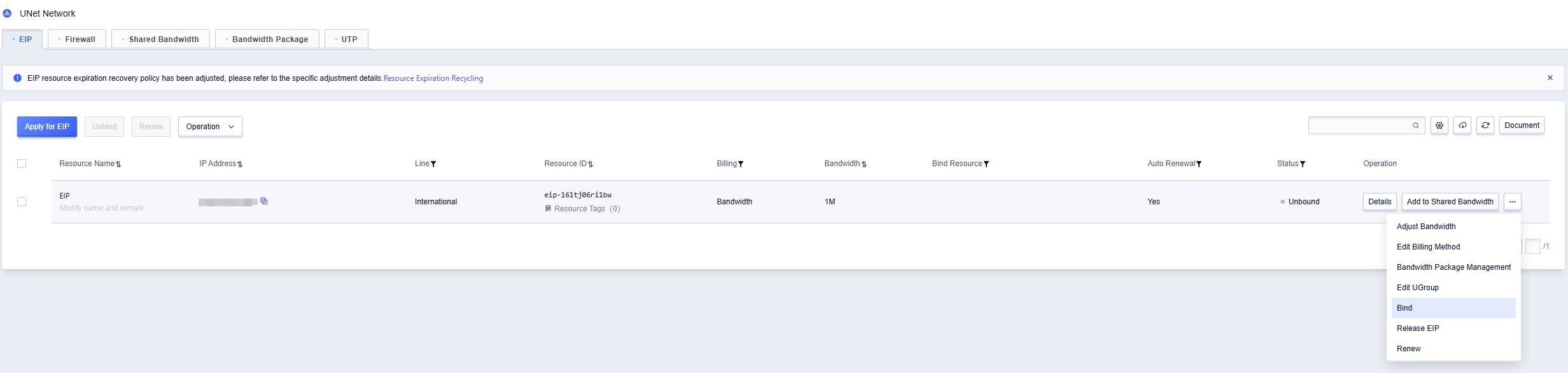
1. Take the Public Internet EIP list page as an example. Select the EIP that needs to bind resources, and click **Bind** in the operation field.
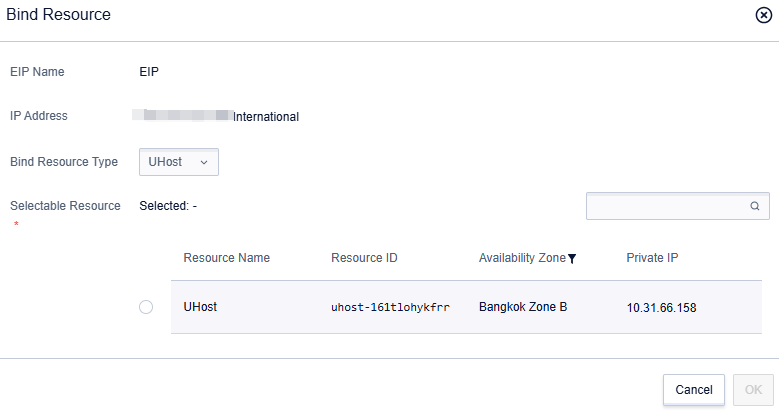
2. In the pop-up **Bind Resources** window, select the resource type and specific resource that EIP needs to bind, and click **OK** to complete the binding with the resource.
## Unbind EIP
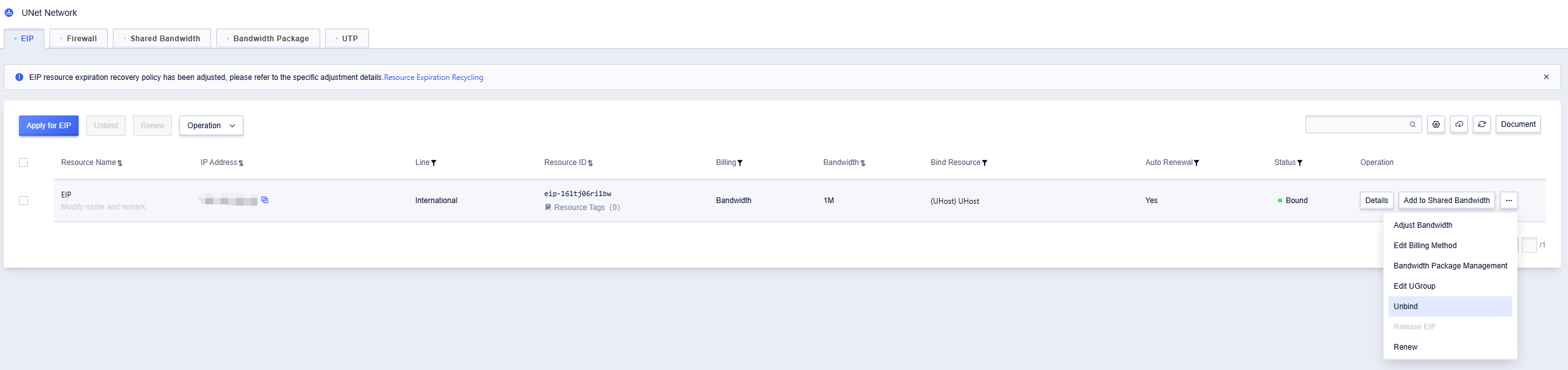
1. Take the Public Internet EIP list page list page as an example. Select the EIP that needs to unbind resources, and click **Unbind** in the operation field.
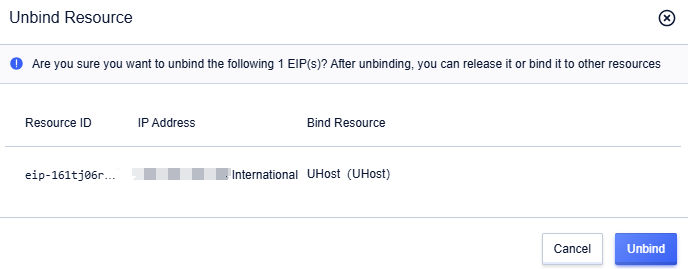
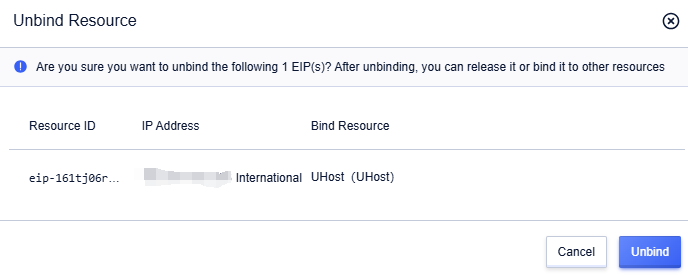
2. In the pop-up **Unbind Resources** dialog box, click **Unbind** to complete the unbinding with the resource.
## Unbind EIP in Batches
1. On the Public Internet EIP list page, you can select multiple EIPs and click **Unbind** to unbind already bound EIPs in batches.
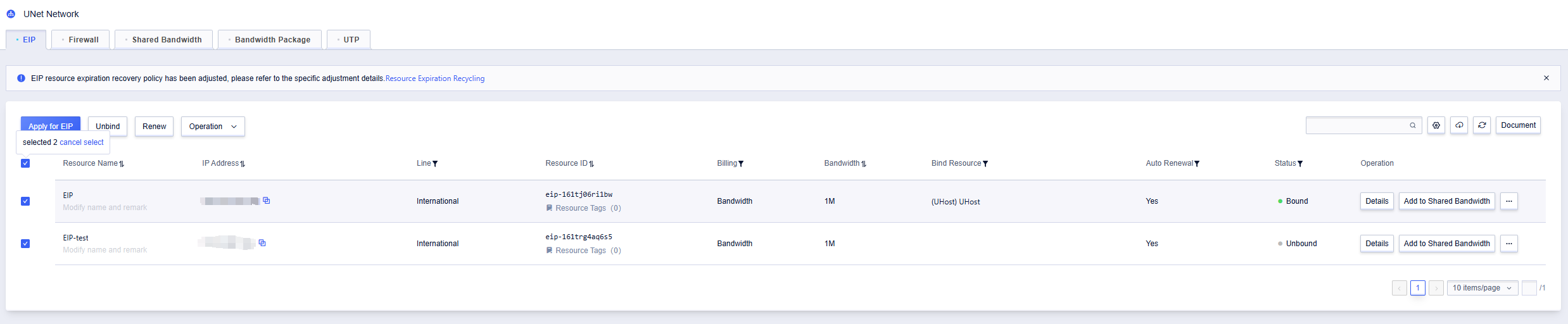
2. In the pop-up **Unbind Resources** dialog box, click **Unbind** to complete the batch unbinding with the resources.