## Balance Alert
### Applicable Scenarios
The insufficient balance alert is suitable for users with large monthly consumption fluctuations and small remaining account balances. This service aims to remind users to recharge in a timely manner when their account balance is insufficient, to avoid arrears or even the system recycling of in-use resources.
### Setting Method
1. Ubill → Overview → Balance Alarm

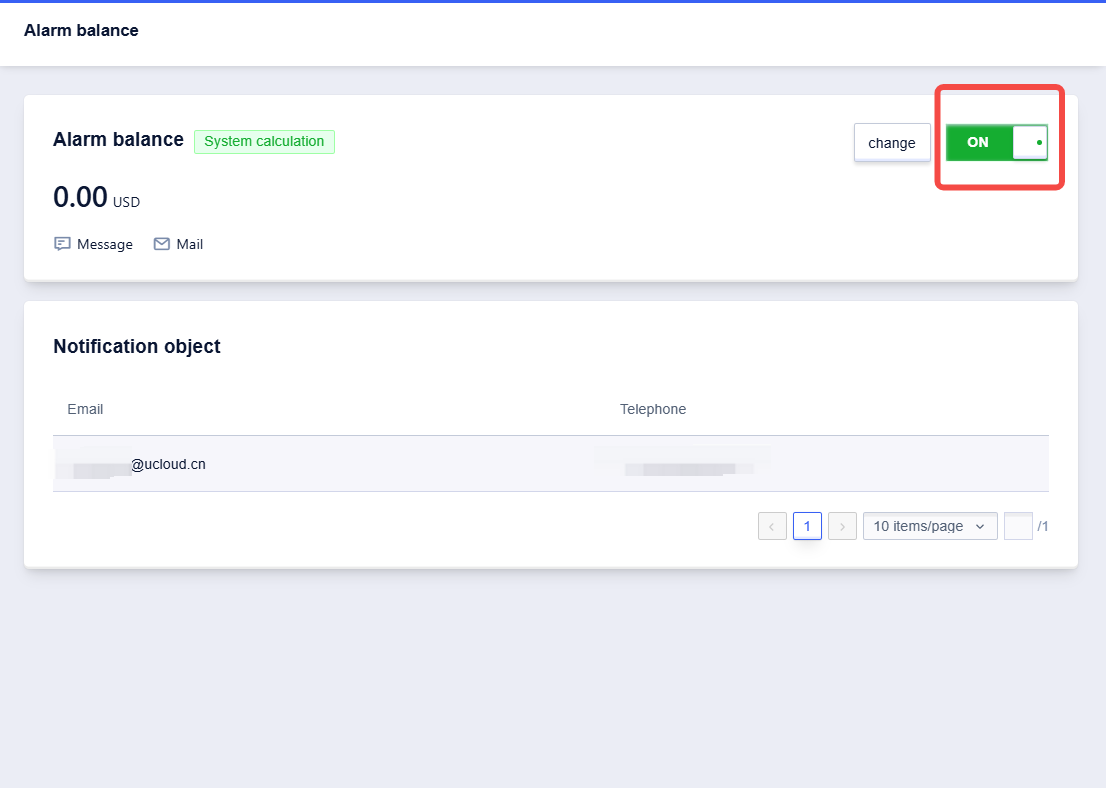
2. After entering the settings page, set the alert red line and alert method according to actual needs

### Reminder Content and Method
- The default recipient of the current insufficient balance alert is the main account user. Other notification recipients can be set, with a maximum of 5 notification recipients per account.
- Three reminder methods are available: email, SMS, and phone call (at least one must be selected, or all can be selected), and users can choose according to their actual needs.
- The alert content can refer to the following example:
Your account XXXXX has a balance of XXX yuan, and there are X resources that will expire in 7 days. Some resources do not support payment with bonus funds. To prevent resource expiration and service suspension, please recharge in a timely manner. If you have already recharged, please ignore this message. DezaiCloud wishes you a pleasant day, thank you!
### FAQ
Q: What should the balance threshold be set to?
A: It is recommended to set the threshold as 1.5 times the estimated resource cost to be incurred next month.
Q: After setting up the balance alert, when might I receive the reminder?
A: When the account balance is lower than the balance threshold, or the account balance is lower than the total renewal amount due within 7 days, or the cash part of the account is lower than the cash part of the renewal amount due within 7 days, you will receive a reminder around 10:00 on the same day.
Q: What if I don’t want to receive balance alert notifications?
A: You can enter the balance alert settings page and turn off "Alert Notifications".